
Python is widely known for its clean, readable, and simple syntax. However, unlike many other programming languages that use curly braces {} or keywords to define blocks of code, Python relies strictly on indentation. For beginners and experienced developers alike, seeing a red error message in the terminal can be frustrating. One of
the most common issues you will encounter while writing Python code is the IndentationError.
In this detailed guide, we will break down what an IndentationError is, why it occurs, and how to fix Python IndentationError step-by-step using popular code editors like VS Code and PyCharm.
1. What is Python IndentationError and Why is It Important?
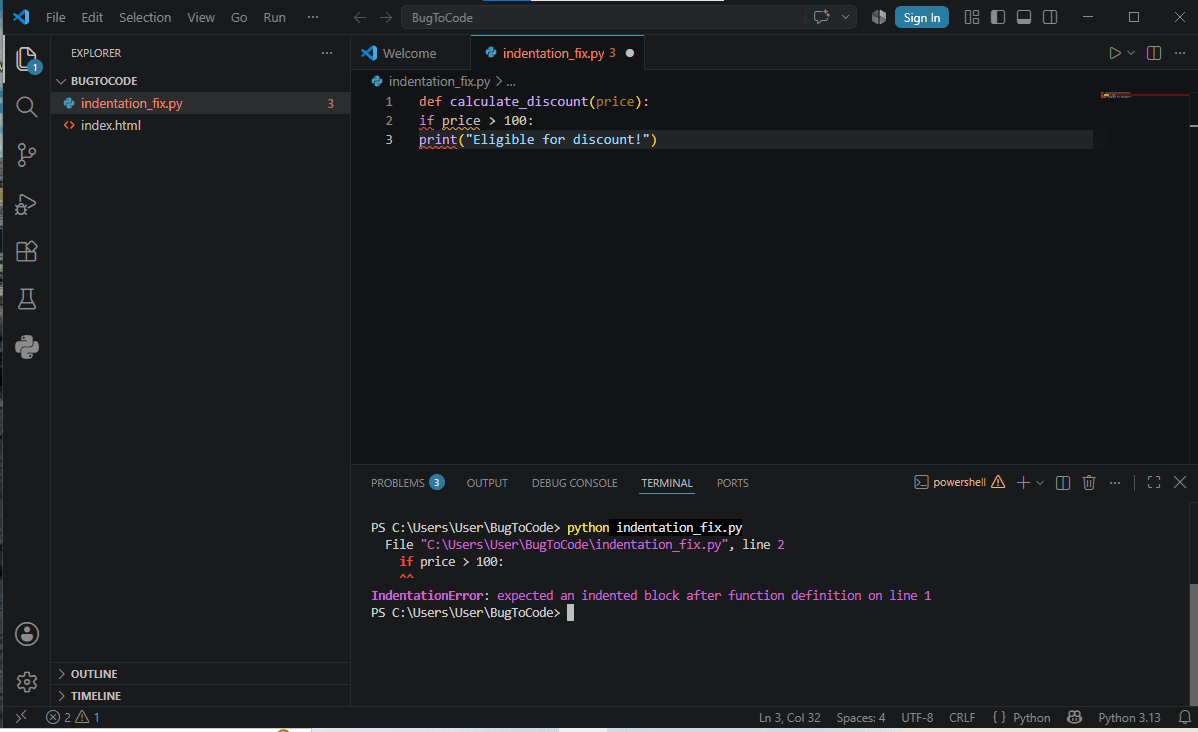
Indentation refers to the spaces or tabs added at the beginning of a code line. In Python, indentation is not just for making your code look neat; it is a mandatory part of the syntax. It tells the Python interpreter which statements belong to a specific block of code, such as functions, loops, or conditional statements.
Why Python Uses Indentation
Readability: It forces developers to write clean and structured code that is easy for anyone to read.
Block Definition: It replaces traditional curly braces {} used in languages like C, C++, and Java to group statements together.
Consistency: It enforces a standard coding structure across all Python projects.
When Python expects an indented block of code and does not find one, or if the spacing is inconsistent, it throws an IndentationError.
2. Common Causes of Python IndentationError
To fix Python IndentationError quickly, you first need to understand what triggers it. Here are the most common scenarios:
A. Missing Indented Block
When you write a statement that defines a new code block (such as if, else, for, while, def, or class), Python expects
the following line to be indented. If you forget to add spaces or a tab, Python raises an error.
Incorrect Code Example:
if True:
print(“Hello World”)
Result:
IndentationError: expected an indented block
B. Mixing Tabs and Spaces
Mixing tabs and spaces in the same code file is one of the most frustrating causes of an IndentationError. Visually, 4
spaces and 1 tab might look identical on your screen, but the Python interpreter treats them as completely different characters.
Incorrect Code Example:
def my_function():
print(“Line 1 uses 4 spaces”) # Indented with spaces
print(“Line 2 uses a tab”) # Indented with a tab
Result:
TabError: inconsistent use of tabs and spaces in indentation
C. Unexpected Indentation
Adding spaces at the beginning of a line where no indentation is expected will also trigger an error.
Incorrect Code Example:
x = 5
y = 10 # Unexpected space added here
Result:
IndentationError: unexpected indent
D. Misaligned Indentation Levels
Statements that belong to the same block of code must share the exact same level of indentation. If one line has 4 spaces and the next line inside the same block has 6 spaces, Python will fail to execute the code.
3. How to Fix Python IndentationError Step-by-Step
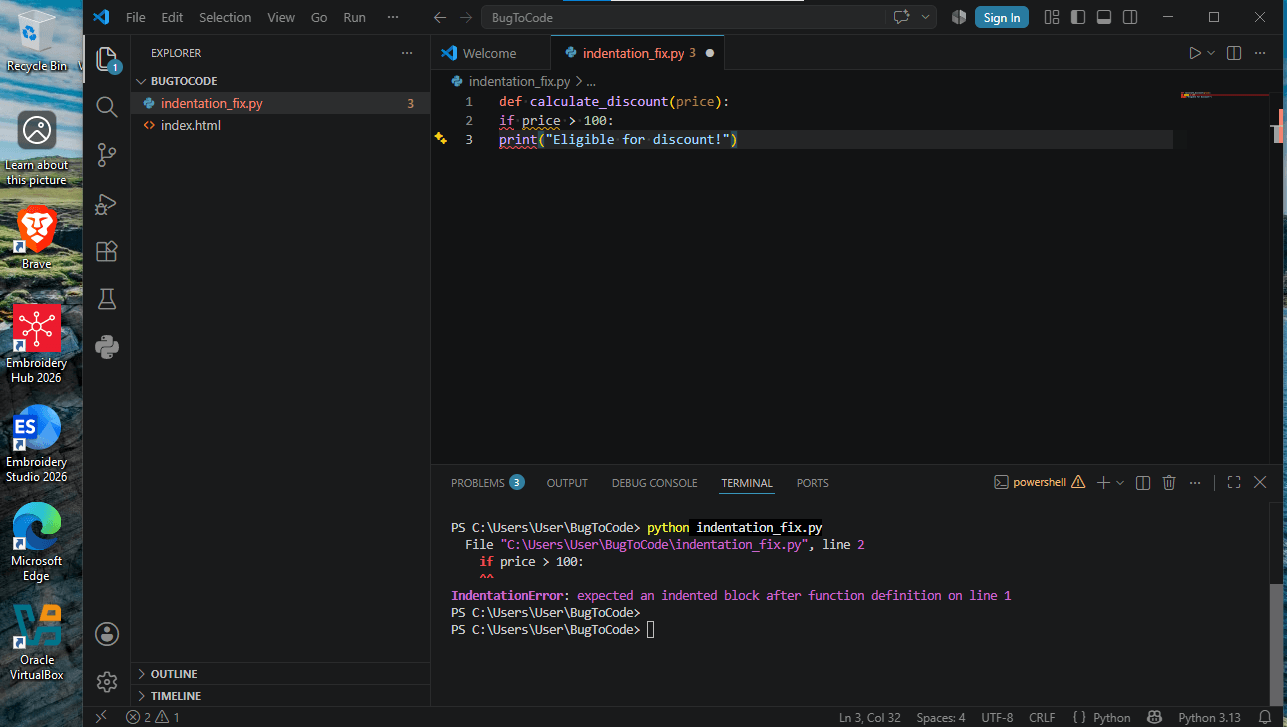
Fixing indentation errors is straightforward once you know where to look. Follow these practical methods to resolve the issue in your code.
Method 1: Standardize on 4 Spaces (PEP 8 Style Guide)
The official Python Style Guide (PEP 8) recommends using 4 spaces per indentation level rather than using Tab characters.
- Review the line indicated in the error message.
- Delete the spaces at the start of the line.
- Press the Spacebar 4 times (or press Tab if your editor automatically converts tabs to 4 spaces).
Method 2: Fixing Indentation in Visual Studio Code (VS Code)
VS Code provides built-in tools to manage indentation automatically:
1.Convert Tabs to Spaces:
- Look at the bottom-right corner of the VS Code window.
- Click on Spaces: X or Tab Size: X.
- Select Convert Indentation to Spaces from the top command menu.
2.Enable Render Whitespace:
- Press Ctrl + Shift + P (or Cmd + Shift + P on Mac).
- Type View: Toggle Render Whitespace and press Enter.
- Little dots will appear representing spaces, and small arrows will represent tabs. This makes it easy to spot mixed tabs and spaces visually.
Method 3: Fixing Indentation in PyCharm
PyCharm offers powerful automatic formatting options:
1.Reformat Code:
- Select your entire code using Ctrl + A.
- Press Ctrl + Alt + L (or Cmd + Option + L on Mac). PyCharm will instantly fix all indentation and formatting issues across your file.
2.View Active Whitespace:
- Go to Settings/Preferences > Editor > General > Appearance.
- Check the option Show whitespaces.
4. Best Practices to Prevent Indentation Errors
Preventing errors before they happen saves time and effort. Here are best practices every developer should follow:
- Stick to One Rule: Never mix tabs and spaces in the same project. Configure your editor to insert spaces whenever you press the Tab key.
- Use Auto-Formatters: Install formatting extensions like Black, Autopep8, or YAPF in your editor. These tools automatically format your code according to PEP 8 standards whenever you save your file.
- Pay Attention to Colons (:): Remember that statements ending with a colon (:)—such as if:, else:, for:, def:, and class:—always require an indented line immediately following them.
- Use AI Assistants: If you are stuck on a complex file, you can copy the code snippet into an AI coding tool or assistant and ask it to fix the indentation alignment.
5. Frequently Asked Questions
Q1. Why does Python use indentation instead of curly braces?
Python uses indentation to ensure that code remains highly readable, consistent, and clean across different teams and projects. It removes unnecessary visual clutter like curly braces {} and semicolons ;.
Q2. Is 2 spaces acceptable for Python indentation?
While Python will execute code indented with 2 spaces as long as it is consistent throughout the block, the official PEP 8 standard strongly recommends 4 spaces.
Q3. What is the difference between IndentationError and TabError?
An IndentationError occurs when an indented block is missing or misplaced. A TabError is a specific subtype of indentation error that occurs when tabs and spaces are mixed within the same file.
My Advice
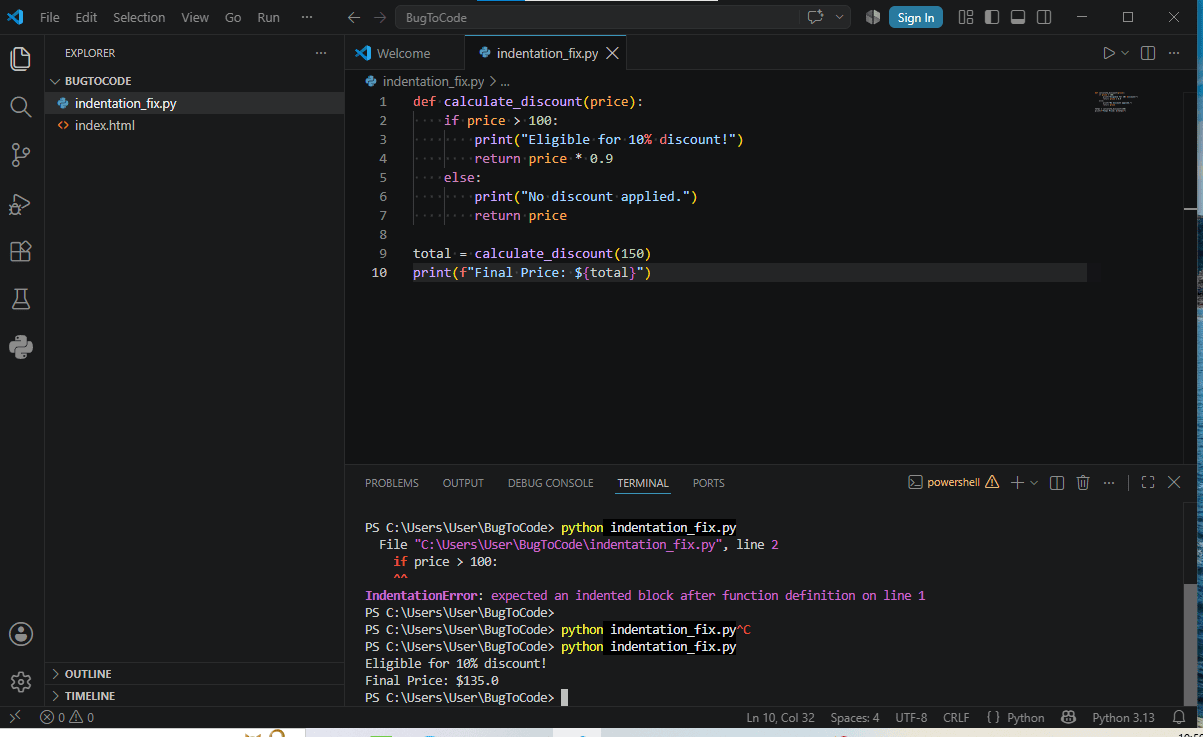
Understanding how to fix Python IndentationError is an essential skill for anyone working with Python. Most indentation errors stem from missing blocks after colons, inconsistent spacing, or mixing tabs with spaces. By
configuring your editor to convert tabs to spaces and using built-in formatting tools, you can avoid these mistakes and keep your Python code running smoothly.
Written by Rohit Sharma
Founder, Writer & Editor — ENBC News
Learn more about the author → About Us